How to Choose a Calendar App for Long-Range Planning (Not Daily Busywork)
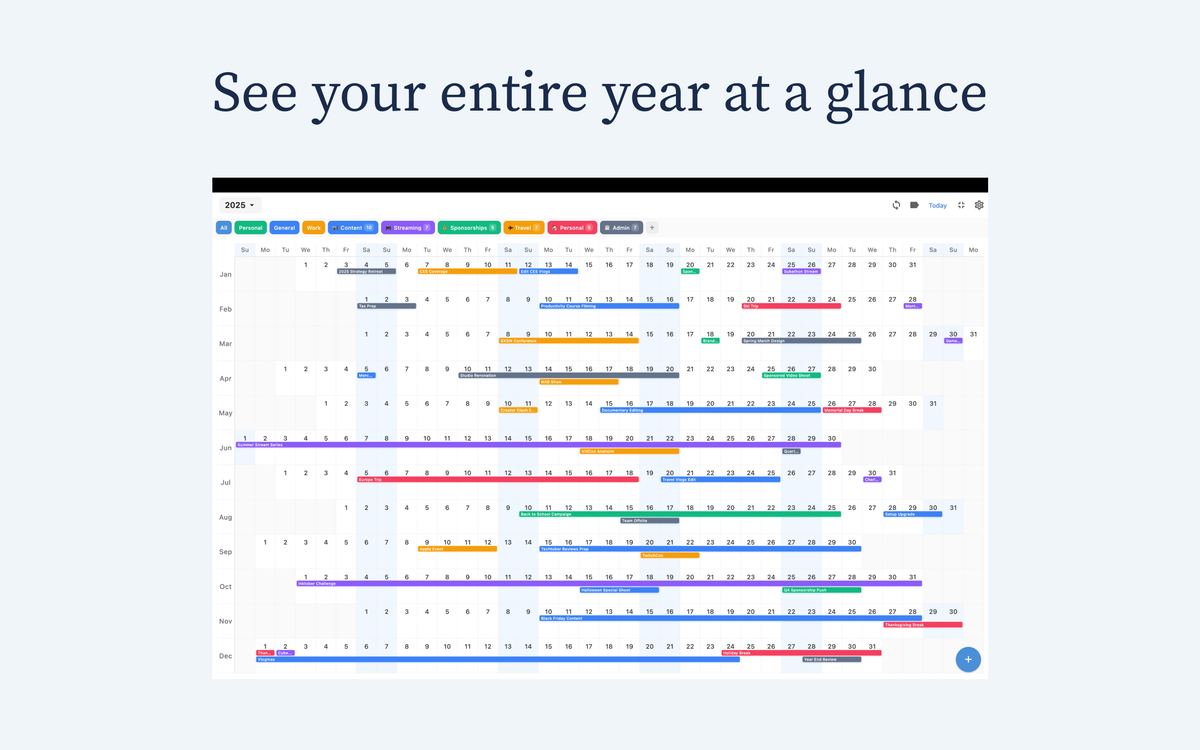
Most calendar apps are designed to keep you busy, not focused. They prioritize the next thirty minutes, crowding your vision with notifications and granular tasks that obscure the bigger picture. For the intentional professional, the goal isn't just to manage a Tuesday afternoon; it’s to visualize a season or a year of personal growth. To do this, you need a tool like Chronos that supports long-range planning rather than daily busywork.
In this guide, we will explore how to select a platform that offers the clarity of linear timelines and annual visualizations, allowing you to own your time instead of simply reacting to it.

The Shift from Daily Busywork to Strategic Clarity
Daily planners are reactive. They show you where you need to be, but rarely where you are going. Long-range planning requires a different visual language—one that emphasizes duration, overlap, and the natural rhythm of projects.
While 70% of top productivity apps now offer some form of timeline view, many still bury these features behind complex menus. A true long-range tool moves away from the "box" of a single day and toward a continuous flow of time. This is why many are turning to a linear calendar approach, which treats time as a steady stream rather than a series of disconnected squares.
Why Linear Visualization Matters
Linear timelines allow you to see the "white space" between major milestones. Instead of seeing a cluttered Friday, you see a six-week project arc. This perspective is essential for avoiding burnout and ensuring that your long-term goals aren't sacrificed for short-term urgencies.
Core Features of a Long-Range Planning Calendar App
When evaluating your software options, look beyond the standard month view. Seek features that aggregate data and simplify complex horizons.
1. Timeline and Year-at-a-Glance Views
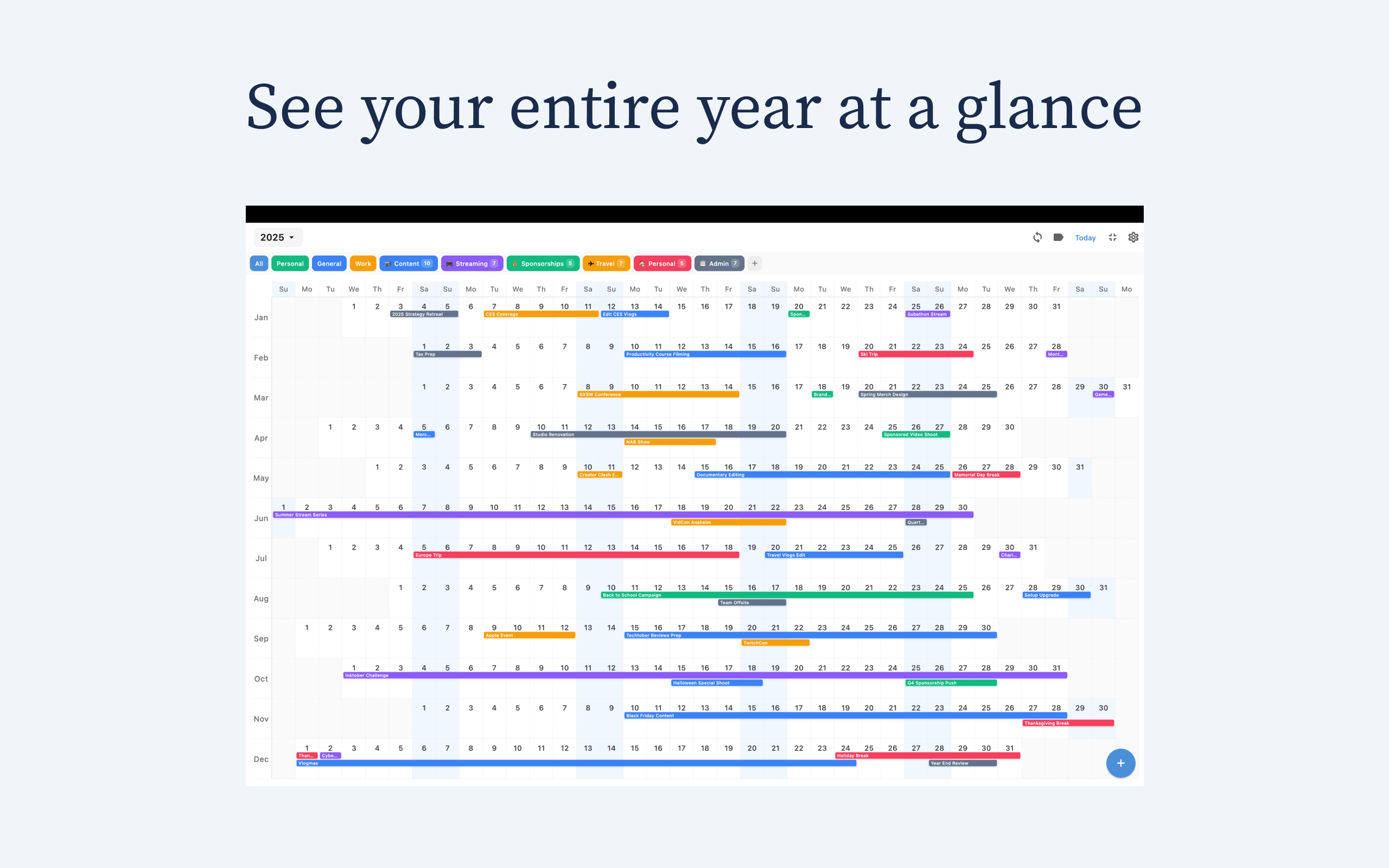
Apps like Chronos and Planyway have pioneered the shift toward linear progress. Rather than seeing an event as a static point, these views visualize your entire year in a single, scrollable interface. This is vital for understanding your true capacity over a quarter and seeing how different life phases overlap.
2. Multi-Calendar Aggregation and Sync
Clarity is impossible when your life is fragmented across Google, Outlook, and Apple Calendars. You need a tool that pulls disparate streams into a unified annual overview. Chronos handles this elegantly through iCloud sync, ensuring your professional deadlines and personal commitments never collide in secret, all without requiring you to create yet another third-party account.
3. Privacy and Accessibility
In an era of data mining, your schedule is some of your most sensitive data. The best modern tools are now "privacy-first." Look for apps that don't require account creation and keep your data synced via your own encrypted cloud storage.
Top Apps for Long-Range Visualization
Choosing the right tool depends on whether you are managing a team's output or your own creative focus. Here is how the market leaders compare for long-term depth:
| App | Linear/Annual Strength | Best For |
| :--- | :--- | :--- |
| Chronos | High-level Year View & Privacy | Visual thinkers and minimalists |
| monday.com | Native project timelines & AI | Teams and complex project arcs |
| Morgen | Unified multi-calendar & AI blocks | Individuals seeking cross-platform clarity |
| Planyway | Multi-timeline visualization | Trello and Jira users |
| Google Calendar | Simple annual overviews | Basic sync and ubiquitous access |
How to Choose the Right Tool for Your Workflow
For the Project Leader
If your work involves coordinating multiple people over several months, a tool like monday.com (starting at $9/user/month) is the benchmark. Its strength lies in its 200+ integrations, allowing you to pull data from Slack or Google Workspace into a single, cohesive project timeline.
For the Minimalist Professional
If you find daily grids overwhelming and want a "zen" perspective, Chronos offers the most poetic approach to time. By stripping away the noise of 30-minute increments and providing a beautiful, linear year-at-a-glance view, it helps you maintain focus on the horizon. It is a one-time purchase ($14.99 lifetime or $4.99/year), making it an affordable alternative to subscription-heavy "productivity" suites.
For the Ecosystem Loyalist
For those who prefer the simplicity of built-in tools, Apple Calendar remains powerful through its ubiquity. While it lacks an advanced long-range planning calendar app interface, it serves as the perfect backend. You can use Apple Calendar to manage the data and layer an app like Chronos on top of it to provide the visual clarity the default app lacks.
Actionable Tips for Setting Up Your Long-Range View
1. Audit Your Views: Switch your default view from "Day" or "Week" to "Year." Force yourself to look at the horizon before you look at your feet.
2. Enable Timeline Modes: Prioritize the timeline view over the list view. This highlights the duration of tasks rather than just their deadlines.
3. Consolidate Everything: Use a tool that supports multi-calendar aggregation. You cannot plan a year if half of your commitments are invisible.
4. Protect Your Privacy: Choose tools that sync via iCloud or local storage rather than those that store your life's schedule on their private servers.
Conclusion: Reclaim Your Horizon
Choosing a long-range planning calendar app is an act of reclaiming your future. It is a transition from being managed by your schedule to intentionally designing your life. By choosing a tool that emphasizes the long view, you create the space necessary for deep work, creative thinking, and a life lived with intention.
Ready to see your year differently?
If you’re looking for a privacy-first, beautiful way to visualize your time, download Chronos on the iOS App Store. Experience the clarity of a linear calendar and start planning your most intentional year yet.
Learn more at chronosapp.net.
See Your Year at a Glance
Experience the clarity of viewing your entire year in one beautiful interface. Download Chronos today.
Get the App