How to Time-Block the Whole Year (Not Just Your Week)
Most time-blocking advice is weekly. That helps with execution, but it fails when your real life runs in seasons: launches, exams, travel, hiring, and recovery periods.
If you want fewer calendar surprises, you need a system that works across 3–12 months. This is how to time-block the whole year, and what to look for in the best calendar app for long term time blocking.
Why week-only planning breaks down
Weekly blocks optimize your next few days. They do not protect your next few months. Without a year-level view, you can unknowingly stack heavy commitments back-to-back and burn out.
Long-range time blocking fixes that. You can sequence priorities, pace demanding periods, and reserve buffer before overload happens.

The 5-step long-range time-blocking method
1) Divide the year into planning seasons
Create 3–4 macro phases such as build, launch, optimize, and recovery. This gives your year structure before details.
2) Lock fixed commitments first
Add immovable anchors: school terms, travel, family events, major deadlines. These define your true capacity.
3) Block deep-work windows by month
Reserve month-level blocks for high-focus projects. Weekly plans should support these blocks, not compete with them.
4) Add intentional buffer
Leave whitespace between heavy phases. Buffer is not wasted time; it is what keeps your plan realistic.
5) Review monthly, tune weekly
Use monthly reviews to keep strategic direction, then adjust tactically each week.
What the best calendar app for long term time blocking should include
- Multi-month visibility: See several months together without endless swiping.
- Fast block editing: Dragging and moving blocks should be quick.
- Reliable cross-device sync: iPhone, iPad, and Mac should stay aligned.
- Clear visual hierarchy: You should instantly notice overload and underuse.
- Sane pricing: Sustainable cost matters if this is your long-term system.

Where Chronos fits
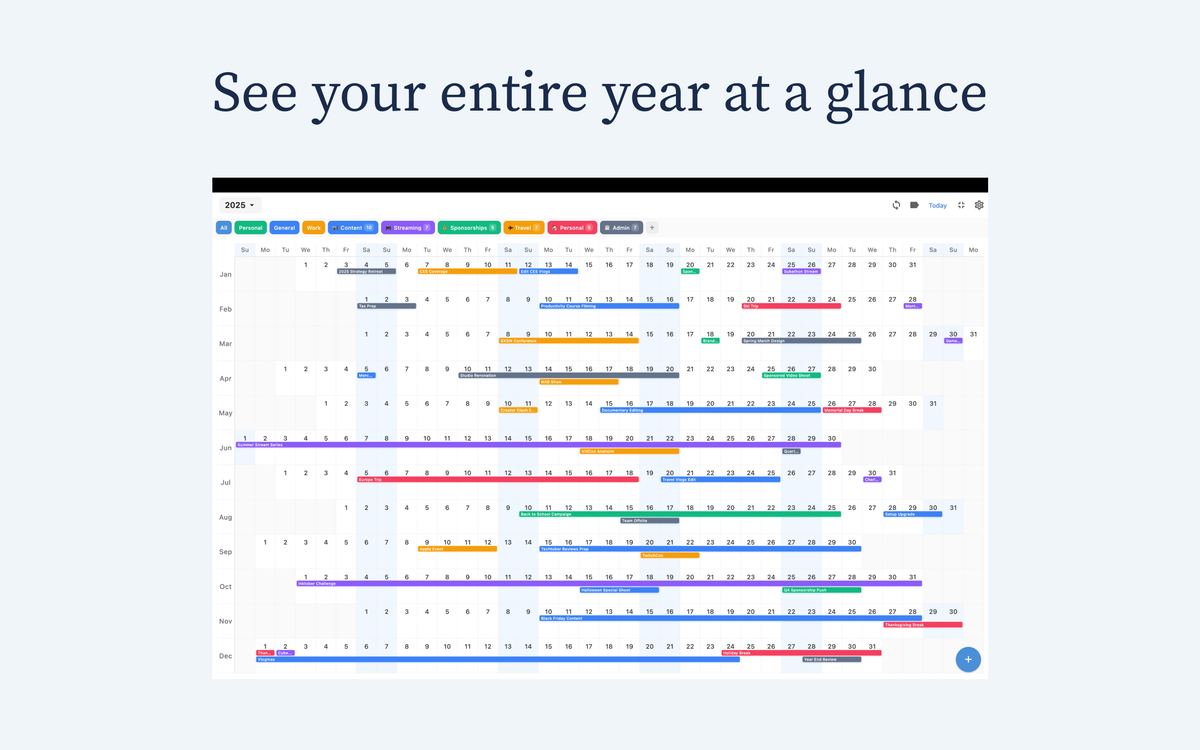
Chronos is built for long-horizon planning, with a clean year-level view that makes sequencing easier than traditional month-grid workflows. It works across iPhone, iPad, and Mac, so your plan stays consistent wherever you review it.
Pricing stays simple: $4.99/year or $14.99 lifetime.
Final takeaway
Weekly planning keeps you moving. Year-level time blocking keeps you intentional. If your calendar feels reactive, switch to a long-horizon system and protect your priorities by season, not just by week.
Try Chronos: https://chronosapp.net
See Your Year at a Glance
Experience the clarity of viewing your entire year in one beautiful interface. Download Chronos today.
Get the App