Why Chronos is the Best iOS App for Yearly Planning in 2026
Most calendar apps are designed to help you survive the next hour. They focus on back-to-back meetings and tiny checkboxes, which is fine for a random Tuesday at 2:00 PM, but useless for seeing how your life actually looks over six months. If you've ever tried to plan a three-week sabbatical or track a major product launch on a standard iPhone screen, you know how annoying it is to swipe back and forth between monthly grids.
As we head into 2026, I'm seeing more people move toward "linear planning." Instead of chopping time into little boxes, Chronos (specifically Linear Calendar - Chronos) treats your year as one continuous timeline. It is easily the best ios app for yearly planning because it stops treating your schedule like a series of disconnected fragments.
The power of the year-at-a-glance view
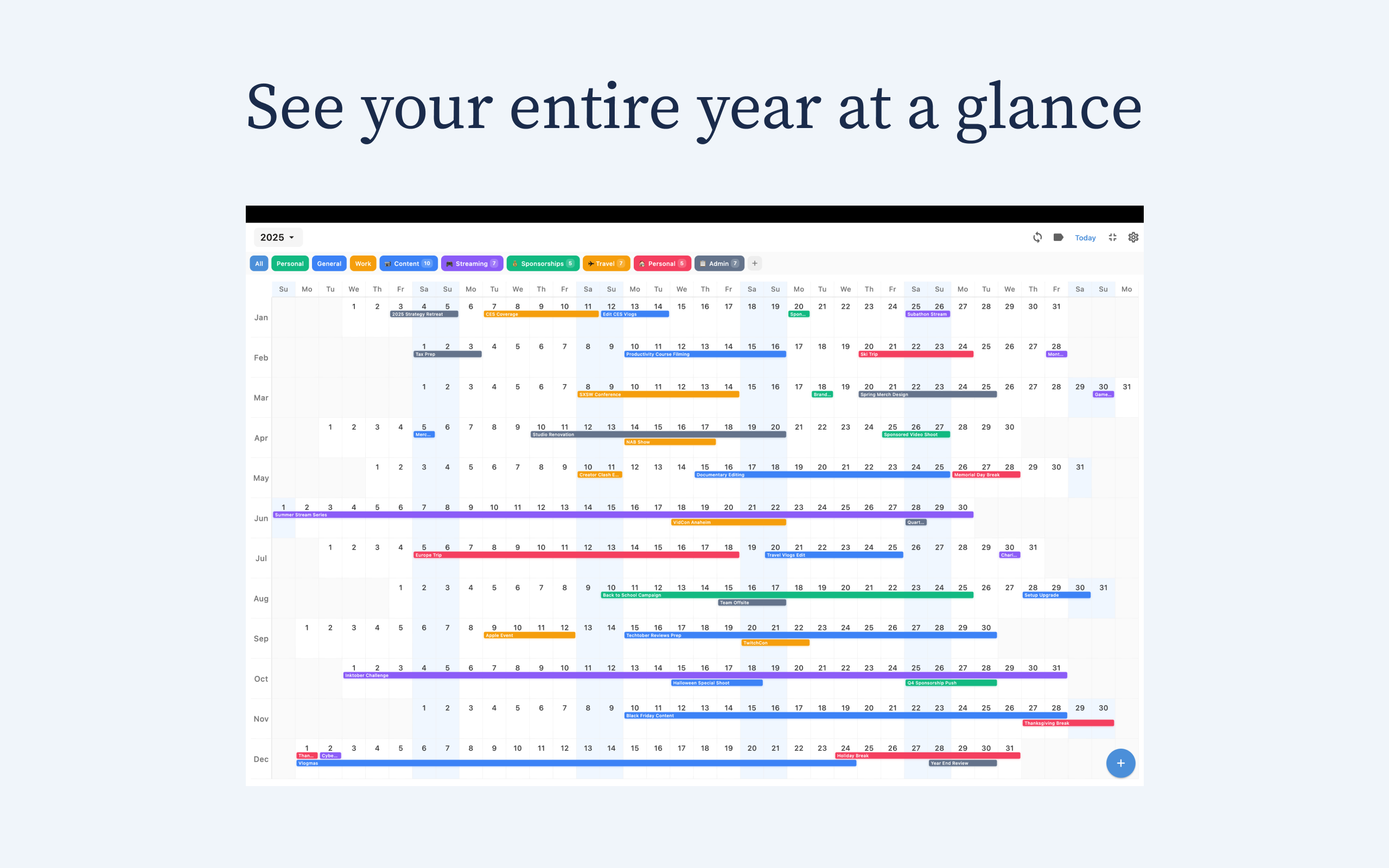
The main reason to use Chronos is the interface. It puts all 365 days on one scrollable screen. This removes that weird mental block where we forget that February 28th and March 1st are actually right next to each other.
Visualizing long-term projects
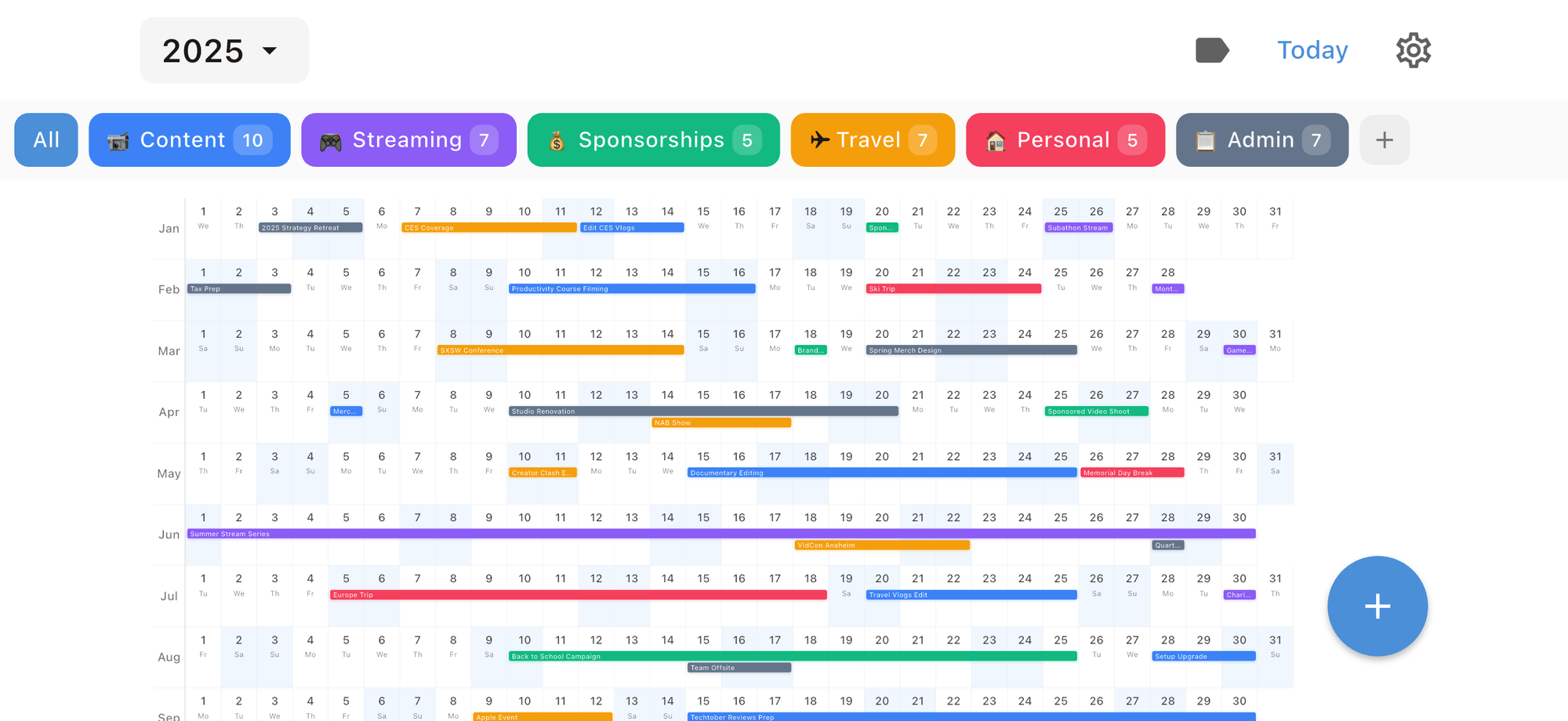
Standard calendar apps make it way too easy to overcommit. You book a trip in March without realizing you have a massive project due the first week of April. With Chronos, you see the "shape" of your year. You can spot the busy seasons immediately and find those rare three-day windows where you can actually take a break. I use it to map out my writing deadlines, and seeing the empty space between projects is often the only thing that keeps me from burning out.
Flexible layout options
Not everyone thinks about time the same way. The app gives you two ways to look at your year:
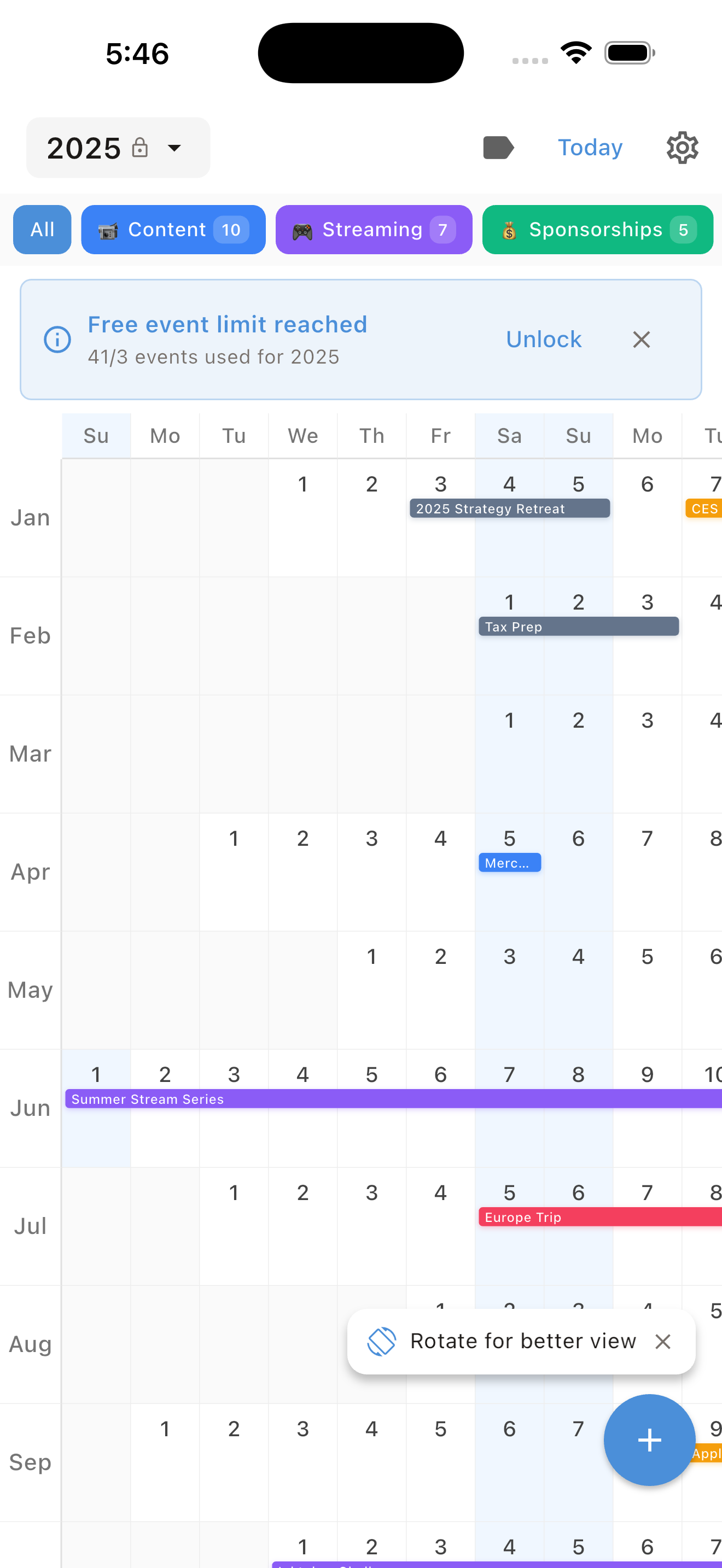
* Date Grid: A clean layout where the days just flow in order.
* Fixed Week: This aligns every day by the day of the week. If you have a side hustle that only happens on weekends, this view is a lifesaver for spotting those patterns.
Why Chronos wins on privacy and performance
I am tired of every single app requiring a login. It feels like a chore just to open a new tool. Chronos takes a much better approach.
On-device data storage
Your data stays on your iPhone or iPad. There are no accounts to create, no cloud servers to worry about, and no one is tracking your schedule to sell you ads. It's your business, and it stays on your device. This also makes the app fast since it doesn't have to "call home" every time you add an event.
No subscriptions, no fatigue
We've all hit a wall with monthly fees. Chronos uses a "buy it once" model that I wish more developers would adopt.
* Free Tier: You can add up to 3 events per year. It's basically a trial to see if you like the feel of the app.
* Yearly Unlocks: You can unlock a specific year, like 2026, for a one-time payment of $4.99.
* Lifetime Access: For $14.99, you unlock every year, past, present, and future. One payment and you never think about it again.
Key features for 2026 productivity
To work as a serious planning tool, an app needs to do more than look pretty. Chronos has a few specific features that make it feel professional without being bloated.
Color-coded categories and filtering
You can tag entries like "Work," "Family," or "Travel" and give them their own colors. The best part is the filter. If your year looks too cluttered, you can toggle everything off except for "Holidays" to see exactly when your time off is happening. It clears the noise so you can focus on one area of your life at a time.
Minimalist design
The app was built by Leap Tech LLC, and they clearly cared about the aesthetic. It fits right in with the iOS look. There are no "AI assistants" or distracting pop-ups here—just a clear view of your time. It's a tool, not a social network.
How Chronos fits into your workflow
Chronos isn't meant to replace your work calendar where you manage Zoom links. It's the "Big Picture" layer of your life.
1. Pair it with Reminders: Use Chronos for the "Big Rocks" like vacations and major deadlines. Use Apple Reminders for your daily grocery lists and small tasks.
2. The Digital Roadmap: I know a few people who use Chronos alongside a PDF planner in Goodnotes. Chronos acts as the high-level map, while the digital planner is for daily journaling.
3. A Space to Breathe: Think of this as a dedicated space away from the clutter of your Outlook or Google work calendar. It's where you plan your life, not just your meetings.
Chronos vs. the competition
There are plenty of options in the App Store, but they usually fail at the yearly view.
* Standard Calendar: Apple's native app is fine for an invite, but it's useless for seeing an entire year. You just see a sea of tiny dots.
* AI Calendars: Some apps try to use automation to schedule your day for you. That's fine for micro-management, but they usually lack a dedicated annual overview. Chronos is better for long-term vision.
* Paper Planners: Chronos gives you that same visual satisfaction as a big wall calendar but fits in your pocket and lets you move things around without using white-out.
How to actually plan your 2026
If you download the app, here is how I recommend setting it up:
* Put in the "Non-Negotiables": Add birthdays, anniversaries, and holidays first. These are the anchors of your year.
* Create Buffer Zones: If you have a huge project ending on a Friday, use the color-coding to block out the following Monday as a "recovery" day. Seeing that block of color helps you actually stick to it.
* The Quarterly Check-in: Every three months, spend five minutes scrolling through the rest of the year. Since you can see the whole timeline, it's much easier to move a goal from July to September if life gets in the way.
The verdict
If you want an ios app for yearly planning that stays out of your way and lets you see your life as a whole, Chronos is the winner for 2026. It's private, it's cheap, and it looks great. Most importantly, it stops you from living life one hour at a time and helps you actually see where you're going.
Grab it on the App Store, pay the five bucks, and give yourself some room to breathe this year.
See Your Year at a Glance
Experience the clarity of viewing your entire year in one beautiful interface. Download Chronos today.
Get the App